Find a free stand on the floor plan
Browse the real hall map, filter by size, type and open sides, and pick a stand that is available right now.
Updated November 15, 2026
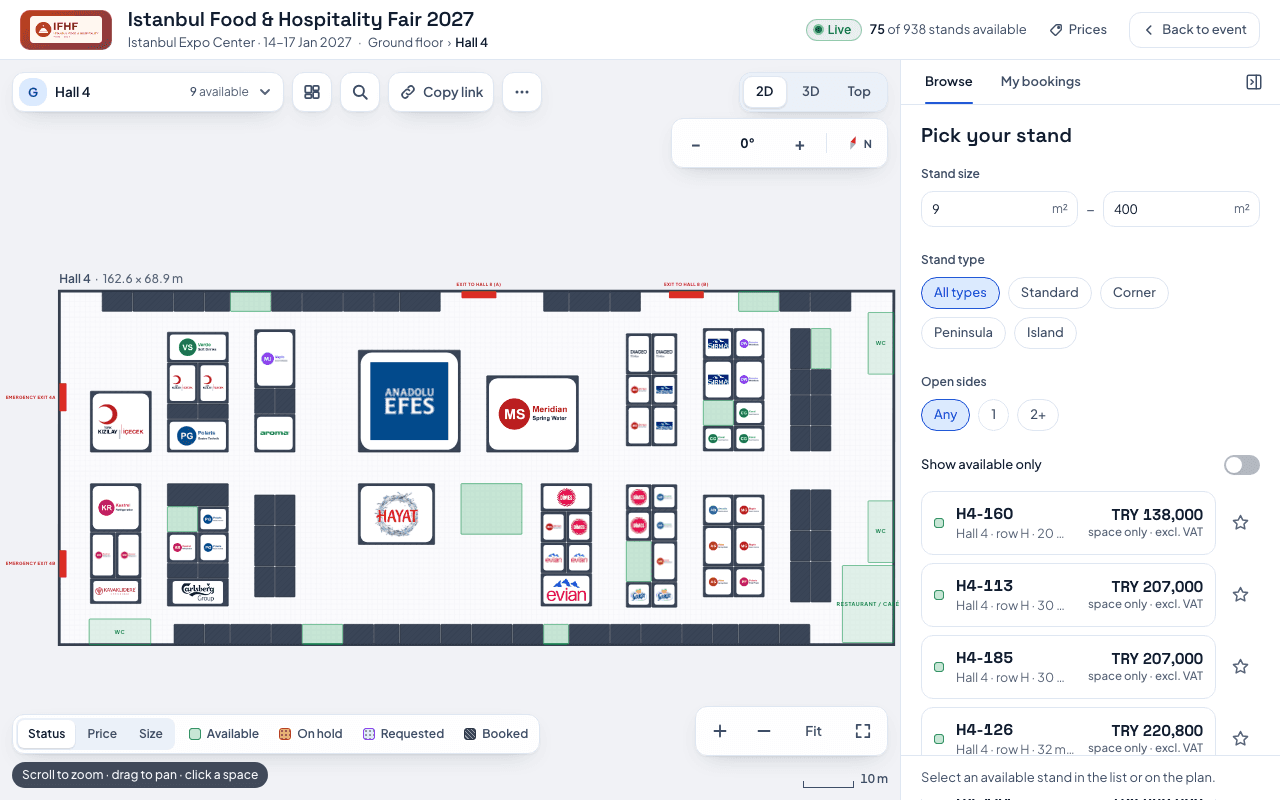
The floor plan shows the event's real halls and every stand on them. Only stands marked Available can be booked.
- Open the event's floor plan. The header shows how many stands are available.
- Pick a hall with the hall picker at the top left. It shows how many stands are free in each hall.
- Narrow the list in Pick your stand: Stand size (m²), Stand type (Standard, Corner, Peninsula, Island) and Open sides. Switch on Show available only to hide the rest.
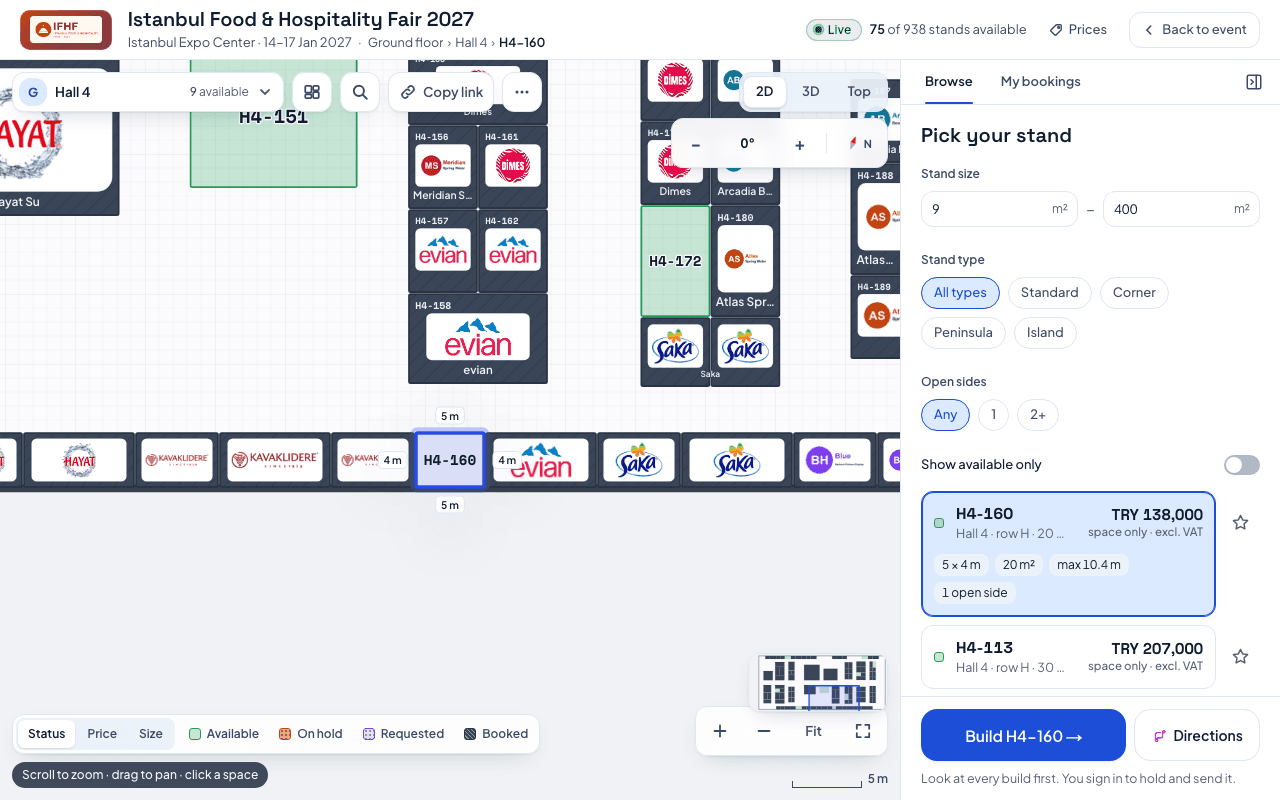
- Select a stand in the list or on the map. Its card shows its size, area and open sides.
- Press Build [stand code] → to start configuring it.
Reading the map:
- The legend at the bottom explains the colours: Available, On hold, Requested and Booked.
- On hold, Requested and Booked stands are not free right now, so they cannot be booked.
- Switch between 2D, 3D and Top views at the top right.
- The list shows each stand's "space only" price, excluding VAT. The build you choose and any extras are added on top.
Was this helpful?