Choosing your notifications
Pick a preset or choose, row by row, what reaches you by email and in the app.
Updated November 15, 2026
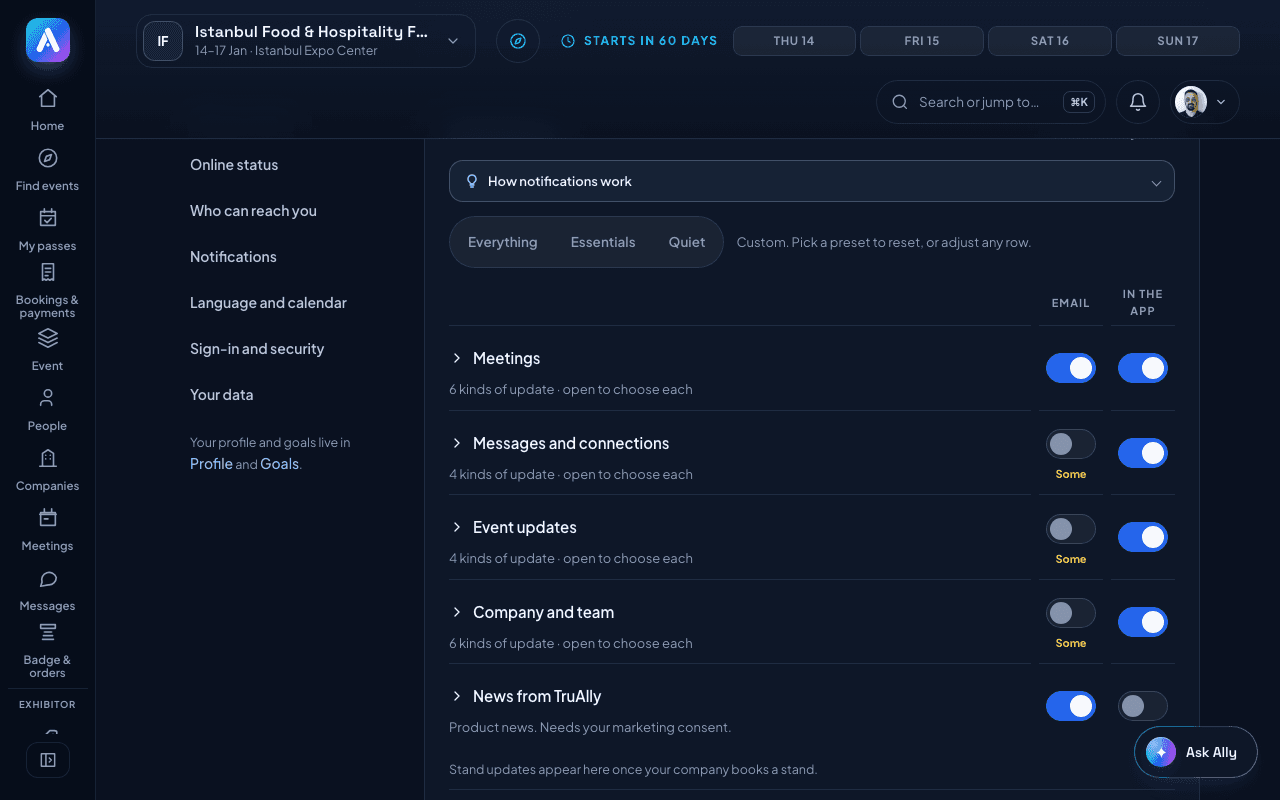
You choose what TruAlly tells you by email and what shows only in the app. The choice is the same at every event.
To change it:
- Open Account → Settings.
- Go to Notifications.
- Start from a preset:
- Everything: every update by email and in the app.
- Essentials: everything in the app. Email for meetings, decisions and payments, not chat.
- Quiet: everything in the app. Email only when a meeting changes or a payment needs you.
- To fine-tune, open a group and switch each row on or off under Email and In the app.
Good to know:
- Some stand emails can't be turned off, because missing them can cost you your stand. Their email switch stays on.
- Company and stand rows appear once you join a company team or your company books a stand.
- To silence one event, see Muting an event.
- To stop one kind of email from the email itself, see Unsubscribing from emails.
Was this helpful?