Your passes in My passes
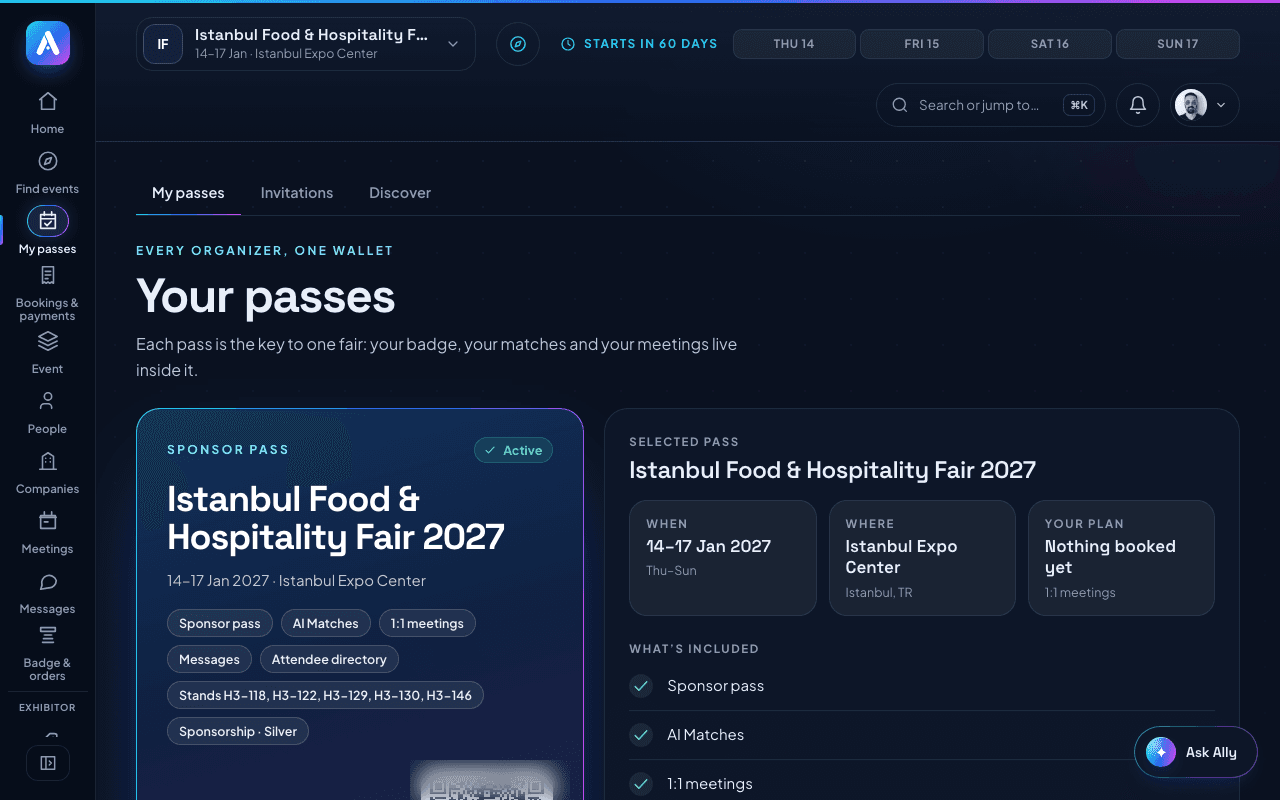
My passes holds every pass you have, at any event. Open your badge, switch event, or upgrade from there.
Updated November 16, 2026
My passes shows every pass you hold, across all your events. Tap a pass to bring it to the front.
Each pass shows its status:
- Active: you can use it.
- Awaiting payment: the pass is not paid yet. Open the event page to pay.
- Your company is paying: your company registered you. You're in once it pays; there is nothing for you to do.
- Pending: the pass is not active yet.
- Not accepted yet: you were invited and have not answered.
- Past: the event is over.
What you can do on a pass:
- Open badge: opens your badge with its QR code, for the event you are working in now.
- Switch to this event: a pass for another event. Switch first, then open its badge.
- Upgrade pass: move up to a higher pass at the same event. See Upgrading your pass.
- Event page: opens the event.
The list of what your pass includes, and its QR code, show only for the event you are working in now.
The Invitations tab lists invitations from organizers. The Discover tab helps you find your next fair.
Was this helpful?