Sign in with your email
TruAlly has no passwords. You get a sign-in link and a 6-digit code by email; either one signs you in.
Updated November 14, 2026
TruAlly does not use passwords. To sign in, you ask for a link and a code by email.
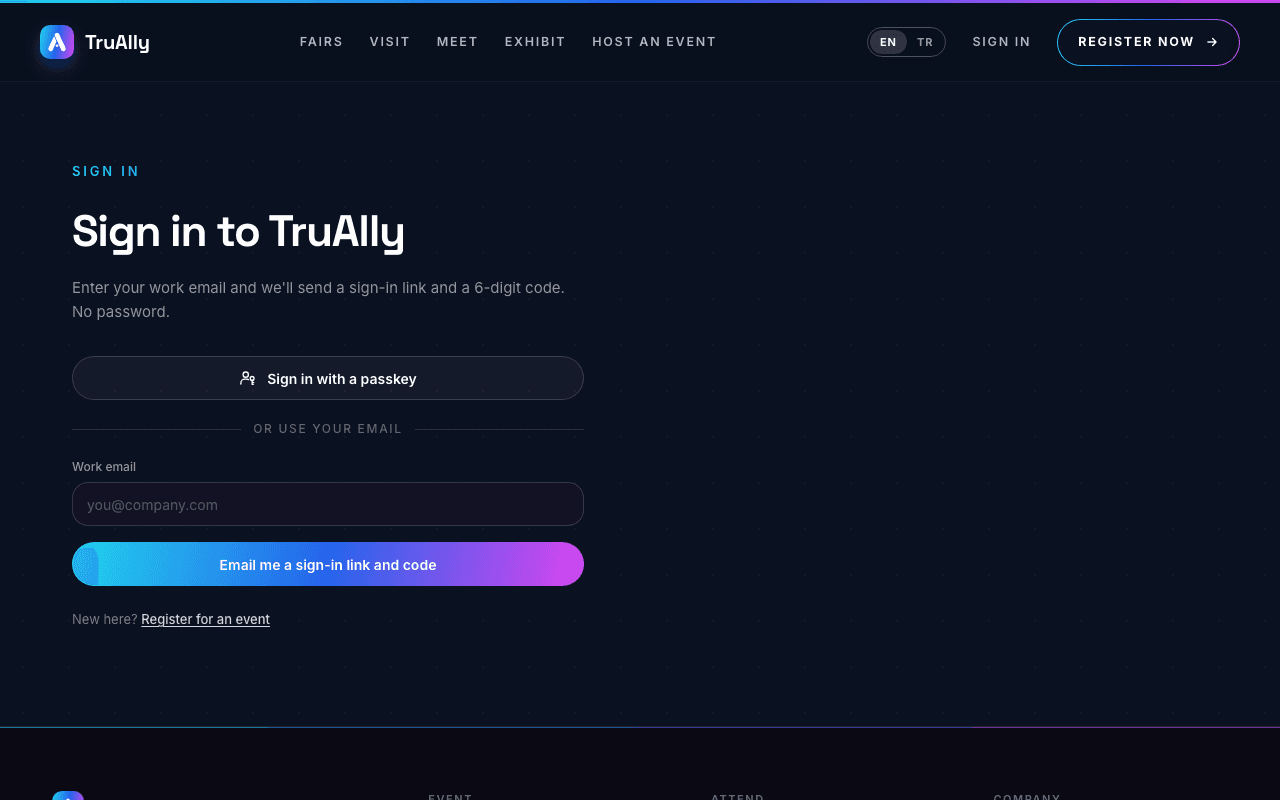
- Open Sign in and type your work email.
- Press Email me a sign-in link and code.
- Open the email. Either open the link, or type the 6-digit code on the page you are on and press Sign in with code.
- If you opened the link, press Continue on the page that opens to finish. The page can also show which account the link signs into.
Good to know:
- The link and the code are both good for 15 minutes. Either one signs you in, on this device or another.
- Opening the link does not sign you in by itself. You must press Continue, so a mail scanner that opens links cannot use it.
- No email? Check your spam folder, then press Resend link on the same page. After a resend, the button waits 30 seconds before you can use it again.
- If the page says the link has expired or was already used, ask for a new one on the Sign in page.
- You may also see Sign in with a passkey, or buttons to continue with Google, Apple or LinkedIn, when they are available.
Was this helpful?